Keep the words worth learning.
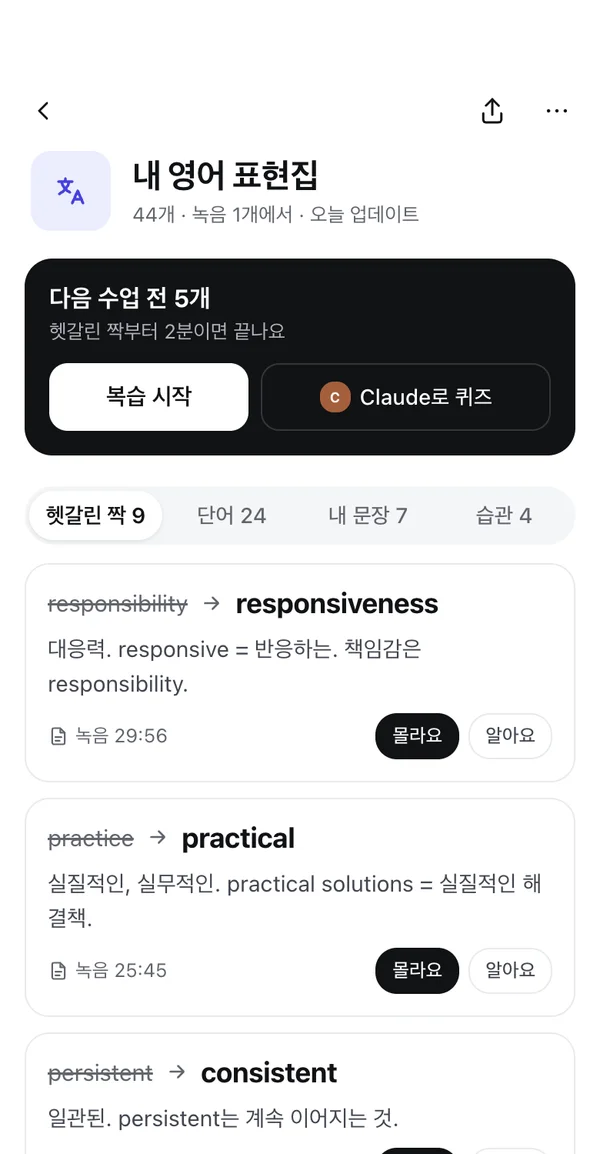
Collect vocabulary and examples from your lessons in one document. Come back ready for the next conversation.
Explore lessons NoteCube한국어
NoteCube · AI voice notes
Turn lessons into vocabulary, meetings into next steps, and everyday recordings into notes you’ll use again.

Your first 60 minutes of transcription, free · iOS & Android
You shouldn’t have to replay everything to find what matters. Get a useful starting point for your lesson, meeting, or event—and keep building from there.
Collect vocabulary and examples from your lessons in one document. Come back ready for the next conversation.
Explore lessonsTurn a long meeting into decisions and things to do. Go back to the source when the details matter.
Explore meeting notesThe host records. Guests scan a QR code and follow captions on the web, without installing an app.
Explore events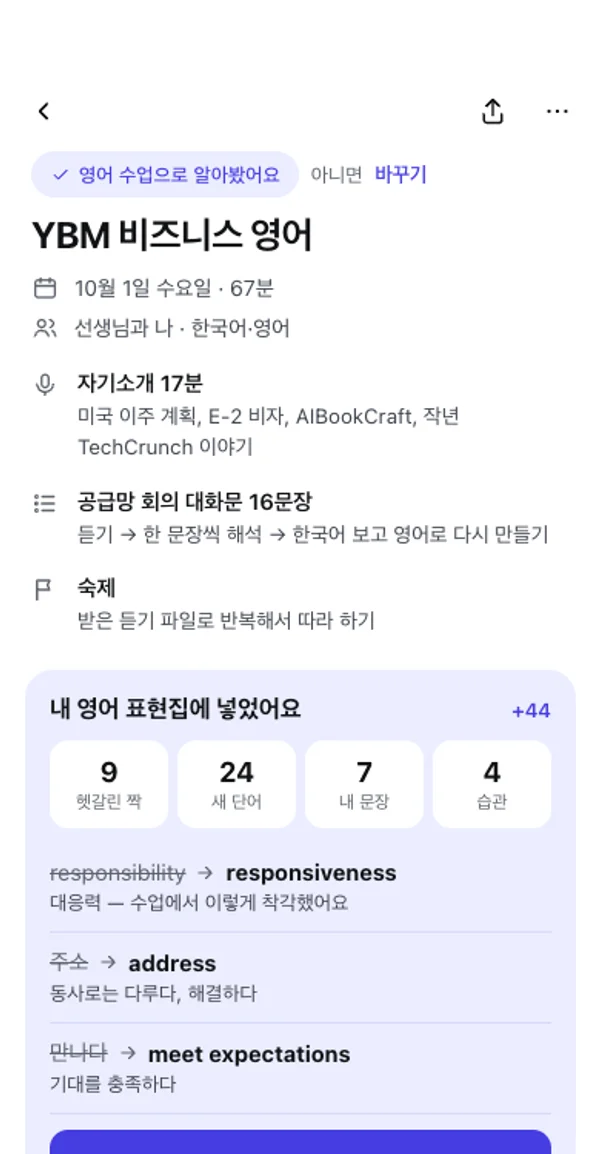
LESS SCROLLING. MORE BUILDING.
Add today’s examples to yesterday’s vocabulary. Keep the source recording close, and see what changed when AI helps update your document.
See how living documents work ↗YOUR NOTES. YOUR AI.
Connect your documents through MCP to review what you learned or refine a draft. Understand what is shared before granting access.
Explore connections & privacy ↗Requires a compatible MCP client and setup.
NoteCube is an AI voice recorder and note-taking app for iOS and Android by SecondEarth. It turns lessons and meetings into transcripts, summaries and documents you can keep updating.
Your first cumulative 60 minutes of transcription are free. Summaries and notes from transcribed content stay free. Free usage includes 3 AI document updates and 3 social drafts per day. Every host can start an event with up to 20 attendees without an attendee pass; transcription usage limits still apply.
Living documents bring material from separate recordings into one document, such as a vocabulary collection or project notes. You can review entries, update their status and inspect revision history rather than starting a new document after every conversation.
No. Participants open the host’s QR code or link in a browser, enter their name and choose a caption language. Contact information is optional. The host uses the NoteCube app.
Start with a recording. Your first 60 transcription minutes are free.